Snow and Ice
Snow and Ice – Realistic Winter Effects for Dioramas
Create realistic winter landscapes on miniature bases, dioramas and gaming terrain. Snow and ice effects allow you to recreate freshly fallen snow, wet and melting snow, frost, icy surfaces and heavier snowdrifts.
Different textures and effects can be used individually or combined to create more varied and realistic surfaces. Build snow-covered roads, frozen terrain, winter battlefields, mountain landscapes or detailed scenes exposed to frost and harsh winter conditions.
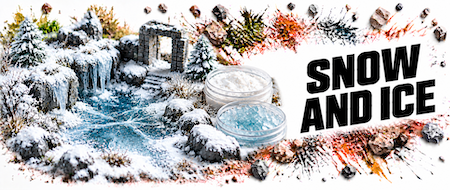
Fine snow effects are ideal for recreating freshly fallen snow. Use them on miniature bases, rooftops, branches, vehicles and larger areas of winter dioramas to create a light and natural-looking snow-covered surface.
Wet snow textures help recreate heavy, compacted or partially melting snow. They work especially well on roads, around vehicle wheels and tracks, or anywhere snow mixes naturally with mud and the surrounding terrain.
Ice and frost effects add another layer of detail to winter scenes. Use them to enhance frozen surfaces, frost-covered areas and other parts of the terrain exposed to prolonged freezing conditions.
Combine snow and ice with rocks, earth, mud, dry vegetation and other terrain materials. Layering different textures helps create a more natural and visually interesting winter environment.
Start by completing the basic terrain, rocks, earth, mud and most of the vegetation before adding snow and ice. In nature, snow cover is rarely equally thick everywhere – larger amounts tend to collect in depressions, around rocks, beside walls and in areas protected from the wind. On frequently used roads and around vehicles, snow may instead become compacted, wet or mixed with soil. Combining different layers of snow, ice effects, exposed ground and dry vegetation creates a much more natural winter landscape than covering the entire scene with a uniform white layer.


