
Asphalt, Concrete and Paving
Asphalt, Concrete and Paving – realistic urban and industrial surfaces
Textures for asphalt, concrete and paving allow you to create realistic urban and industrial surfaces for miniature bases, dioramas, model scenes and gaming terrain. Use them to recreate roads, pavements, squares, car parks, airfields, industrial areas, bunkers and other structures.
Texturing materials provide not only a suitable colour base but also a realistic three-dimensional surface. During application, you can create uneven areas, cracks, damaged sections and transitions between different materials. Once dry, the surface can be further enhanced with paints, washes, pigments, dust and other weathering effects.
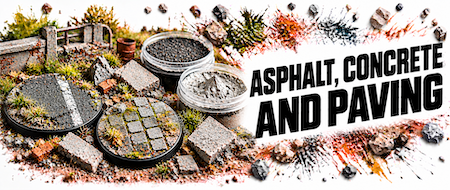
Asphalt textures are ideal for roads, streets, car parks, airfields and other paved surfaces. Add cracks, dust, road markings and signs of traffic to create a more realistic finish.
Concrete textures are suitable for pavements, industrial areas, bunkers, airfields, walls and other concrete structures. The surface can be further enhanced with dirt, dust and signs of wear.
Paved surfaces are ideal for streets, pavements, squares, courtyards and other urban scenes. They work well in historical settings as well as fantasy, industrial and modern dioramas.
Small cracks, damaged edges, potholes and other irregularities add realism to asphalt and concrete. They help recreate older, heavily used, neglected or battle-damaged environments.
On concrete and paved surfaces, you can emphasise joints between individual sections. Washes, pigments and subtle shading can add depth and natural contrast to these details.
Perfectly clean asphalt or concrete can look unnatural. Use pigments, washes and other weathering effects to add dust, accumulated dirt, traffic marks and other signs of use.
These surfaces are ideal for modern urban, industrial, military and post-apocalyptic scenes. Create streets, factory complexes, bases, airfields or ruined cities.
Asphalt, concrete and paving can be combined with soil, rubble, sand, mud or vegetation. Transitions between different materials help create a more natural and visually varied scene.
Add kerbs, rocks, rubble, manhole covers, grates and other urban elements to the surface. Blend these details into the surrounding terrain with pigments, dust and other weathering effects.
Prepare the base and apply a base colour first if necessary. Apply the texture with a spatula, old brush or modelling tool and create the desired surface structure. There is no need to make the surface perfectly smooth – small irregularities and damaged areas can produce a more natural result. Once completely dry, enhance the surface with washes, pigments, dust and other weathering effects. Finally, add rubble, stones, kerbs, vegetation or other details to blend the surface naturally into the surrounding terrain.


