Enamel Streaking Effects (35 Ml)
Enamel Streaking Effects – realistic streaks, grime and rain marks
Enamel Streaking Effects are weathering products designed to create vertical streaks caused by rain, grime, rust and operational dirt. They help replicate the natural way dirt and weathering streak down the sides of vehicles, armour, aircraft fuselages, sci-fi machinery and other surfaces exposed to weather and regular use.
Apply a small amount of the effect in short lines, then use a clean brush to pull and soften it in the direction of natural streaking. The enamel base gives you plenty of working time, allowing you to gradually reduce the intensity and create both subtle and more pronounced streaks.
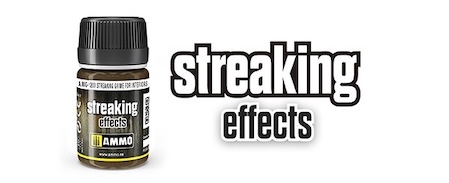
Streaking Grime and Dark Streaking Grime are ideal for creating common streaks of dirt and operational grime. The darker version can be used to create more pronounced streaks or stronger contrast on lighter surfaces.
Streaking Rust Effects creates rust-coloured streaks, while Streaking Rainmarks Effects helps replicate subtle rain and water marks on vertical surfaces.
Starship Streaking is designed to create characteristic streaks and operational wear on sci-fi vehicles and spaceship models. It can also be used on other models where you want to achieve a similar appearance.
Streaking Grime for D.A.K. is designed for desert vehicles, while Streaking Grime for Panzer Grey is appropriately toned for grey surfaces and corresponding camouflage schemes.
For specific surfaces, you can choose variants such as Streaking Grime for Winter Vehicles or Streaking Grime for US Modern Vehicles to match the tone of the effect to the character of your model.
Streaking Grime for Interiors is designed to create signs of use and dirt inside models, helping to break up uniform surfaces and add subtle operational wear.
Apply only a small amount of the effect beneath edges, rivets, panel lines and other areas where water and dirt would naturally run down. Then use a clean flat brush lightly moistened with enamel thinner to pull the effect in the direction of the streaking, gradually fading it out. It is better to start with a few subtle streaks – you can always add more layers, while overly pronounced streaks tend to look less natural on the model.


